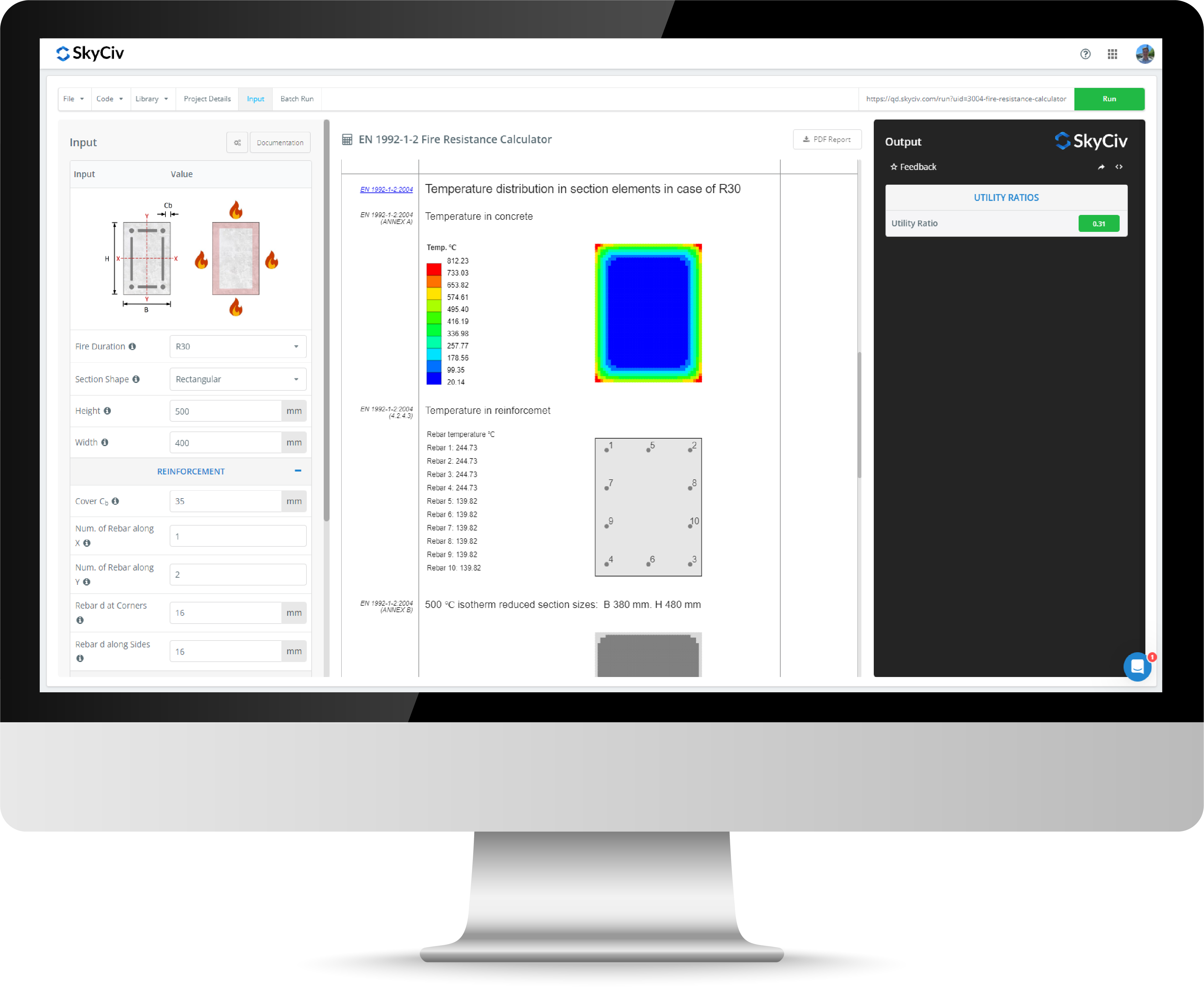
Load Combination Generator
The SkyCiv Load Combination Generator allows you to automatically generate all possible load combinations based on the selected design standard using Load Combination patterning. Load Combination Patterning is the process of systematically applying different factors and arrangements (patterns) of loads to a structure in order to capture the worst-case effects for design.
The SkyCiv Load Combination Generator supports the following design standards:
- Australian Loading Standards
- AS 1572.1 2010
- AS 1170.0 2002
- US Loading Standards
-
ASCE-7 2022 (ASD &LRFD)
- ASCE-7 2016 (ASD &LRFD)
- ACI 318 2019
-
- European Loading Standards
- EN 1990 2002
- EN 1990 2002 UK National Annex
- Canadian Loading Standards
- NBCC 2020
- NBCC 2015
- Indian Loading Standards
- IS-456-2000
- IS-800-2007
The Load Combination Generator is included as part of the SkyCiv Quick Design Module.
About the Load Combination Software
Load Combination Inputs
The Load Combination Generator requires the following inputs:
- Region and Design Standards
- Critera
- Choose the desired criteria to filter load combinations — such as Ultimate Limit States (ULS), Serviceability Limit States (SLS), or other categories — based on the selected standard. To generate all combinations without filtering, select All.
- Filters
- Used for futher filtering besides criteria. For example, Eurocode has extra filters to allow simulation of the National Annex (NA) of each European country.
Load Case Table Inputs
Access the Load Case Table by clicking the Open Table button. The table includes the following fields:
- Load Case:
- Select the appropriate load case from the dropdown menu.
- Number:
- Define the number of load groups to generate. For example, if two live loads (L) are required, enter 2 — the calculator will automatically generate and label them sequentially (L1 and L2).
- Pattern:
- Select from the following patterns (applies only when more than 1 load group is required):
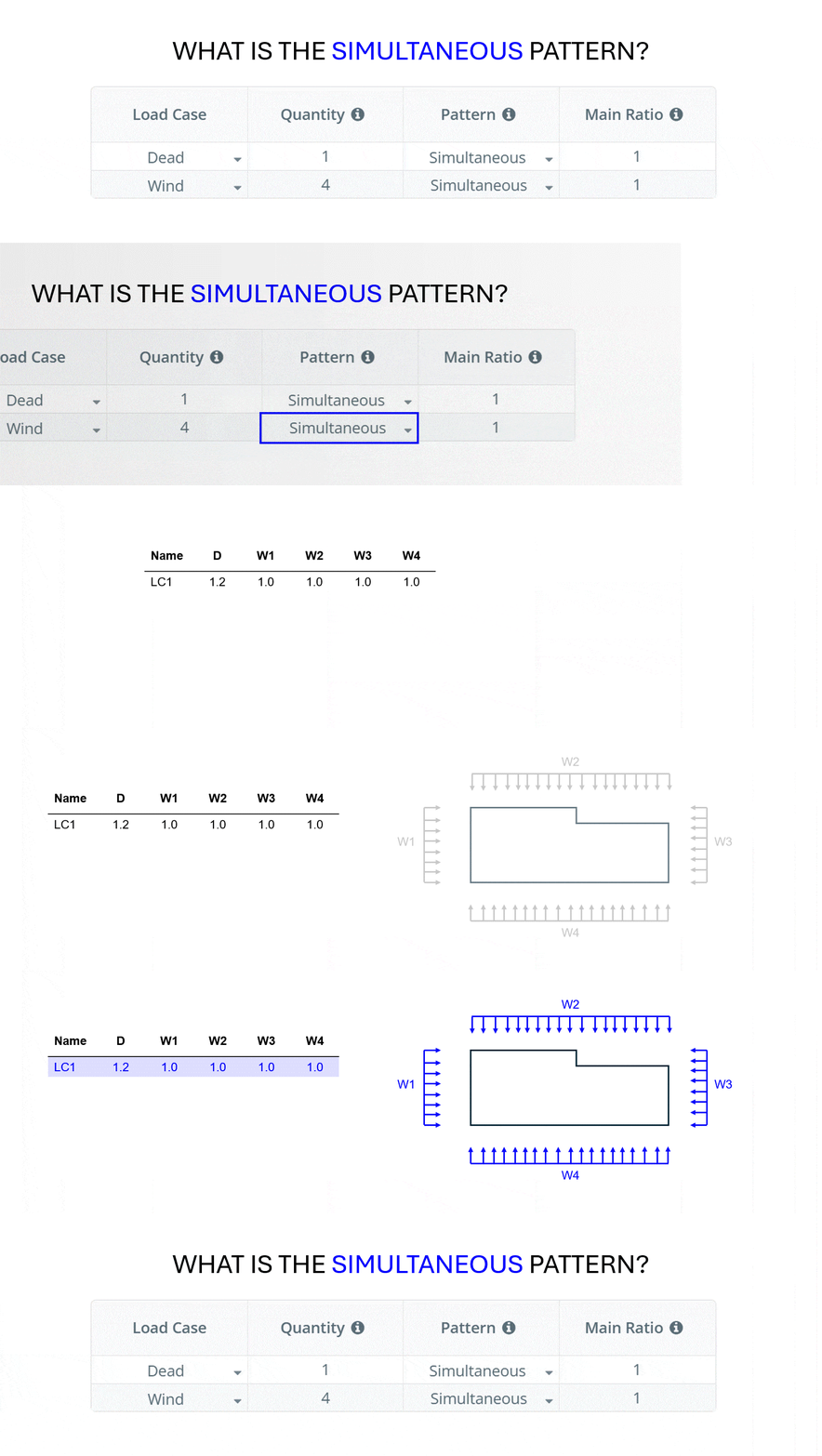
- Simultaneous Pattern: Generates a single load combination incorporating all load groups — suitable when load groups act simultaneously.
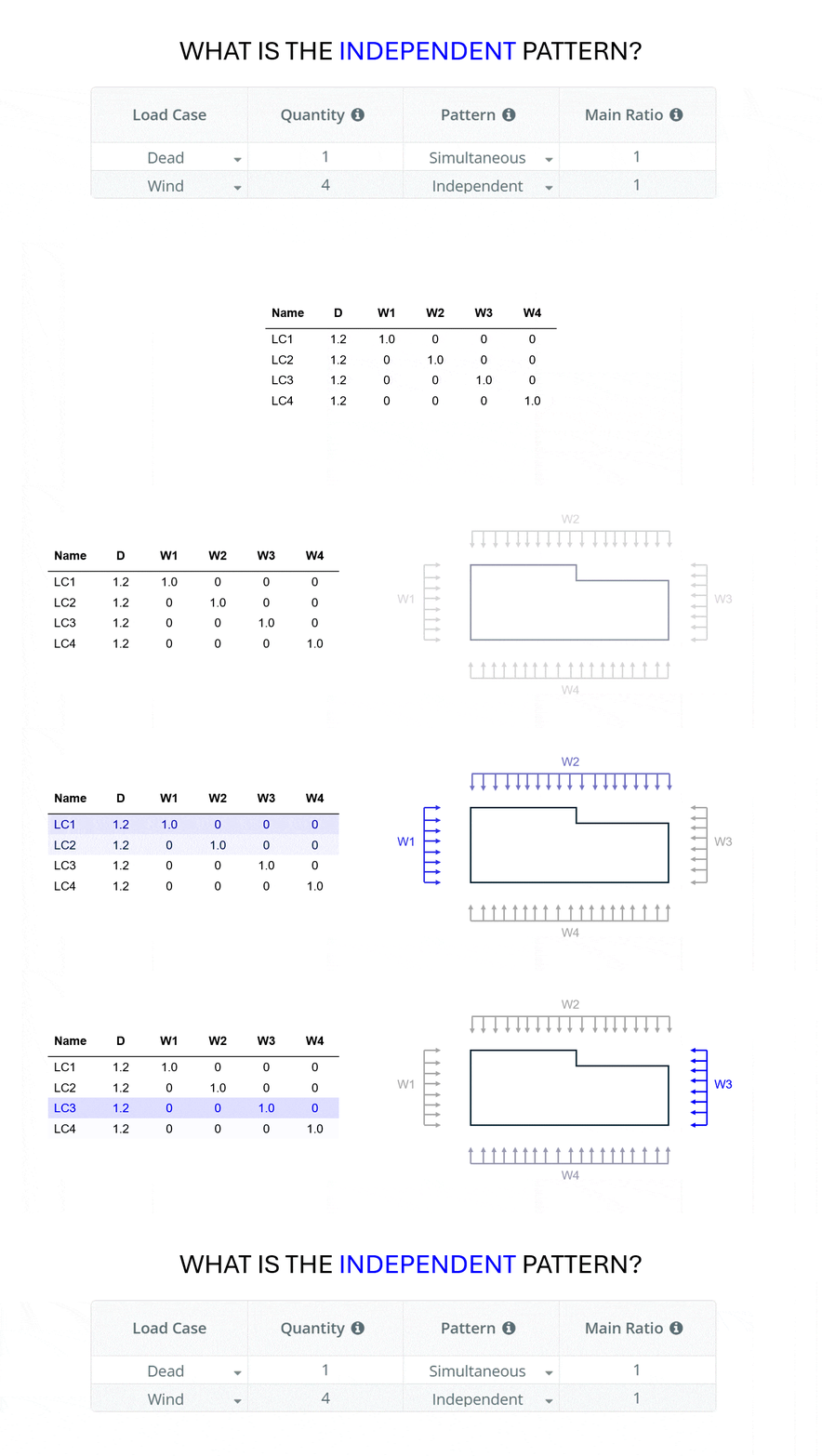
- Independent Pattern: Creates a separate load combination for each load group — ideal for scenarios where load groups act independently (e.g., wind loads from different directions).
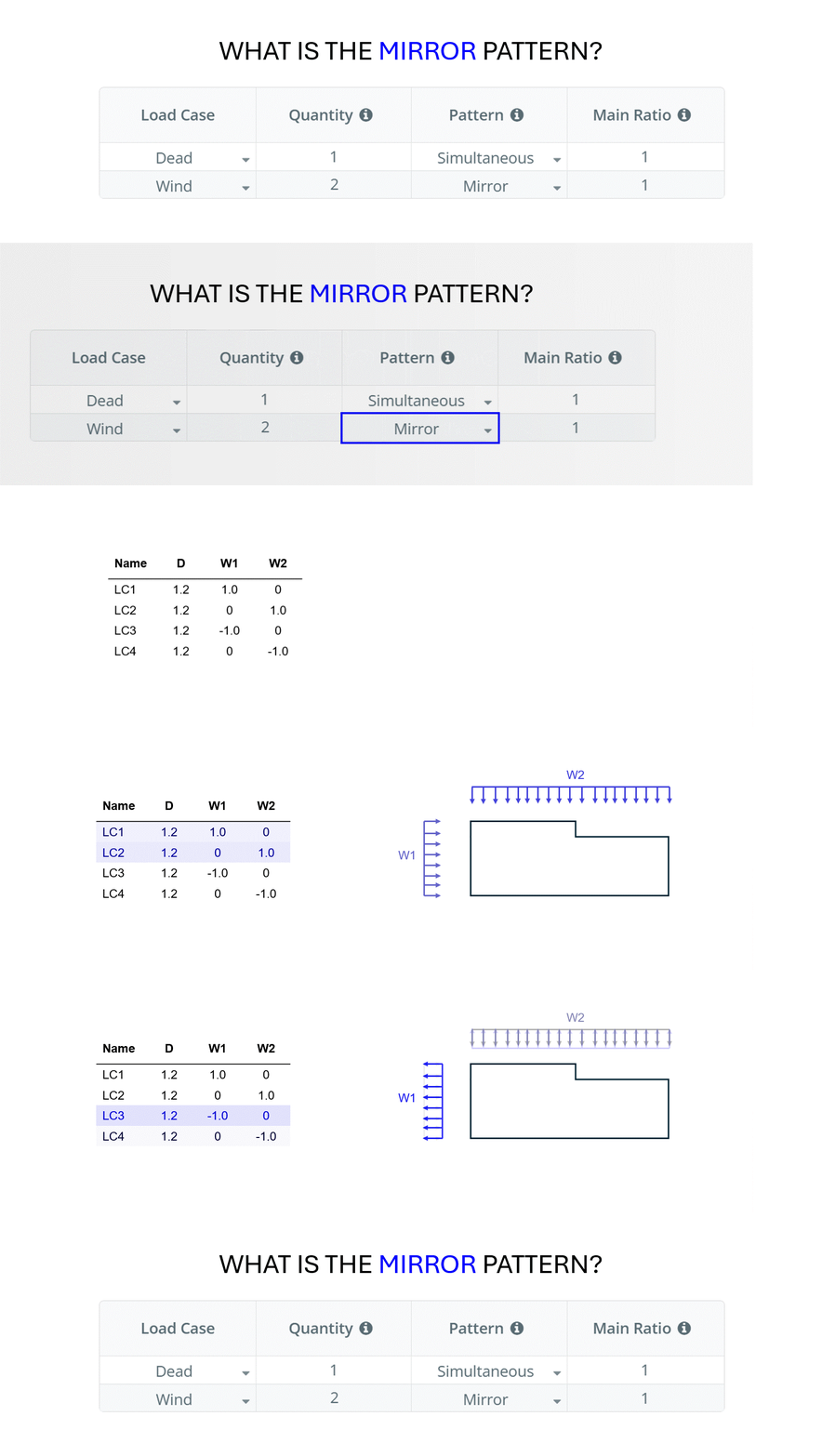
- Mirror Pattern: Similar to the individual load pattern, but with an additional load reversal (every combination is copied and the coefficient is set to negative to simulate a load acting in both directions).
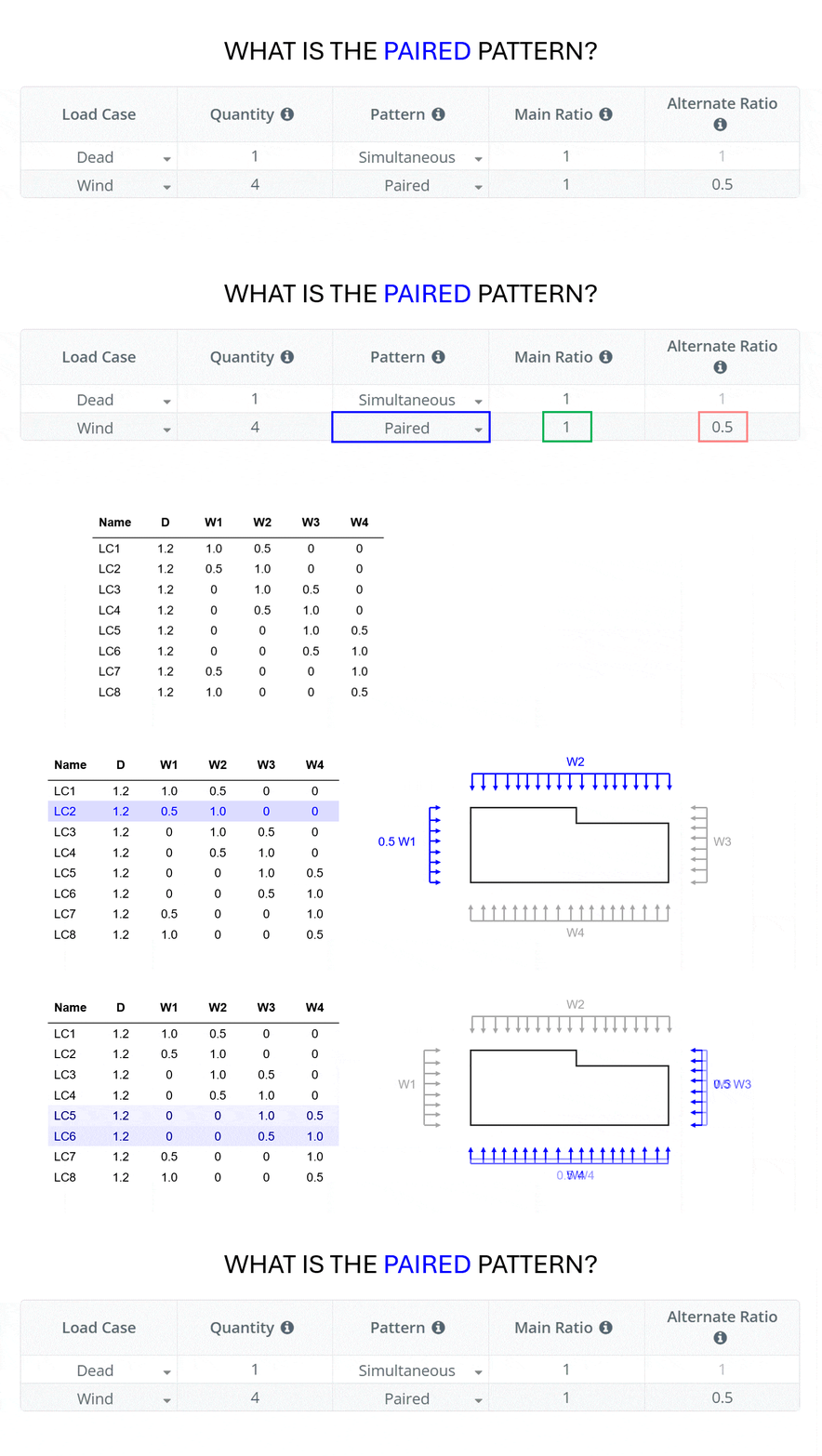
- Paired Pattern: Allows to pair two adjacent load groups, applying the main and alternate ratios to both sequentially. Thus, loading can be applied to two directions simultaneously (say 100% in one direction and 30% in the other direction). Useful for wind and seismic loads.
- Select from the following patterns (applies only when more than 1 load group is required):
- Main Ratio:
- Apply an additional factor to modify the standard load coefficient. For example, if the design code requires a coefficient of 1.25 for the D load case and an additional factor of 2 is entered, the final load combination factor will be 2.5 * D. For patterns with two factors (Paired pattern for example), this is the factor for the principal load.
- Alternate Ratio:
- Only for patterns with two factors (Paired pattern for example). This is the factor for the secondary load or unloaded span.
- Name Load Groups:
- Allows renaming of load groups by entering new comma separated strings. If left to auto, the names will be auto generated. For example, the default value of 4 wind loads would be W1, W2, W3, W4. You can name these by entering a string such as: W_north, W_south, W_east, W_west.
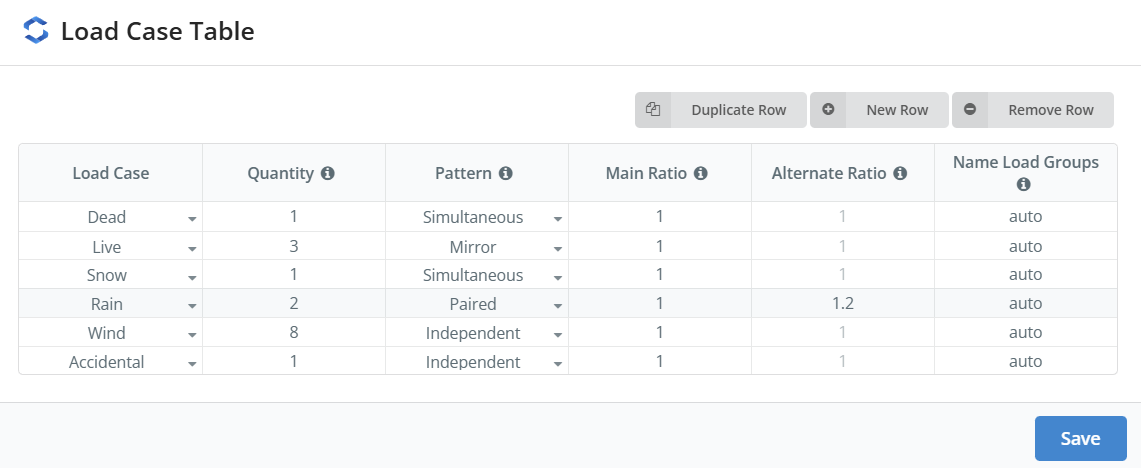
Example: Filled out Load Case Table
Understanding Load Case Patterns
Load Combination Patterning is the process of systematically applying different factors and arrangements (patterns) of loads to a structure in order to capture the worst-case effects for design. The following images have been provided to help you visually understand how each pattern option works:
Simultaneous Pattern
Independent Pattern
Mirror Pattern
Paired Pattern
Load Combination Results
Results can be viewed in the report or via the View Load Combinations button. The Load Combinations Table accessed via the View Load Combinations button allows users to copy the table to be pasted directly into Mircrosoft Excel, Google Sheets or via the Load Combinations table in SkyCiv Structural 3D.
Integrated S3D Version
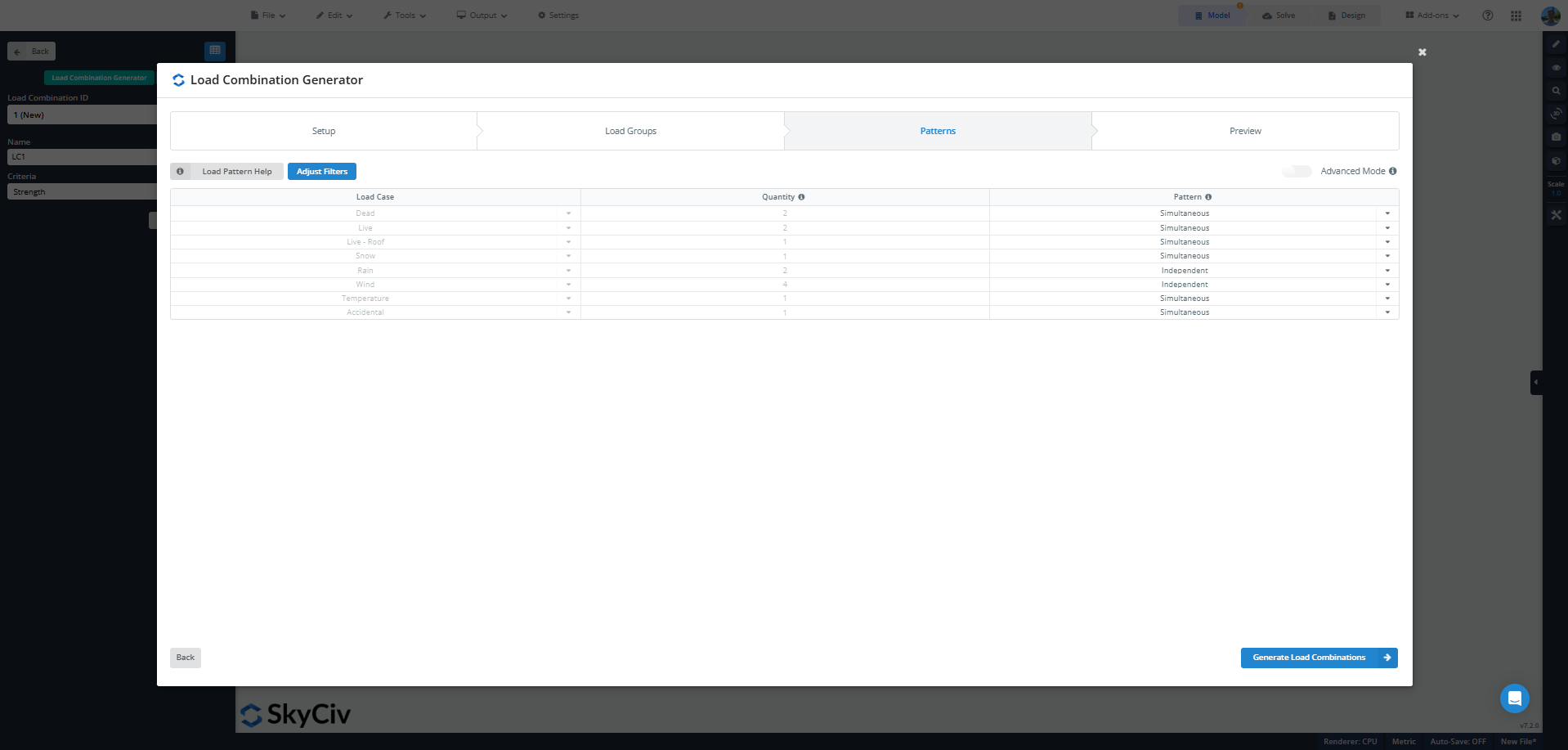
SkyCiv Structural 3D has an integrated version of the Load Combination Generator to allow you to generate Load Cases and Combinations for your relevant engineering standard. To access the full integrated version, you will need a SkyCiv Professional Account.
Related Tools
SkyCiv offers a wide range of Cloud Structural Analysis and Engineering Design Software, including:
- SkyCiv Structural 3D Analysis Software
- SkyCiv Wind Load Genertator
- Canadian Roof Snow Drift Calculator
- AS 4055 Wind Load Calculator
As a constantly evolving tech company, we're committed to innovating and challenging existing workflows to save engineers time in their work processes and designs.